
Table of Contents
Best DTF Printers for Beginners (2026 Guide)
Starting a DTF printing business is exciting, but choosing your first printer can also feel overwhelming.
There are dozens of options online. Prices range anywhere from $1,000 to over $10,000, and many sellers promise “the best beginner machine.”
So naturally, beginners ask:
“Which DTF printer should I actually buy?”
I understand that question very well because when I first started learning DTF printing, I was in the exact same position.
I spent hours researching printers, watching videos, and trying to understand what equipment I actually needed to start.
Eventually, I chose the Procolored L1800 upgraded roller printer, which became the machine I used to learn the entire DTF process.
In this guide, I will walk you through two of the most common beginner-friendly DTF printers:
- Procolored F13/L1800
- Procolored F13 Pro Dual
These machines are widely used by beginners and small apparel businesses entering the DTF space.
My goal is simple:
Give you enough clarity so you can confidently choose your first DTF printer.
What beginners should look for in a DTF printer
Before we review specific printers, it is important to understand what actually matters when choosing a beginner DTF machine.
Many beginners make the mistake of focusing only on price or marketing claims.
Instead, focus on these four factors:
1. Reliability
DTF printers require regular use and maintenance. A beginner printer should be stable enough to operate consistently without constant issues.
2. Ease of Learning
Your first printer should allow you to learn the workflow without overwhelming complexity.
You will already be learning:
- RIP software
- film printing
- adhesive powder application
- curing
- heat pressing
A beginner machine should make this learning curve manageable.
3. Maintenance Requirements
White ink circulation and printhead cleaning are essential parts of DTF printing. Some printers make this process easier than others.
3. Startup Cost
Most beginners start their DTF journey with a budget between:
$1,500 and $6,000
The printers in this guide fall within that range.
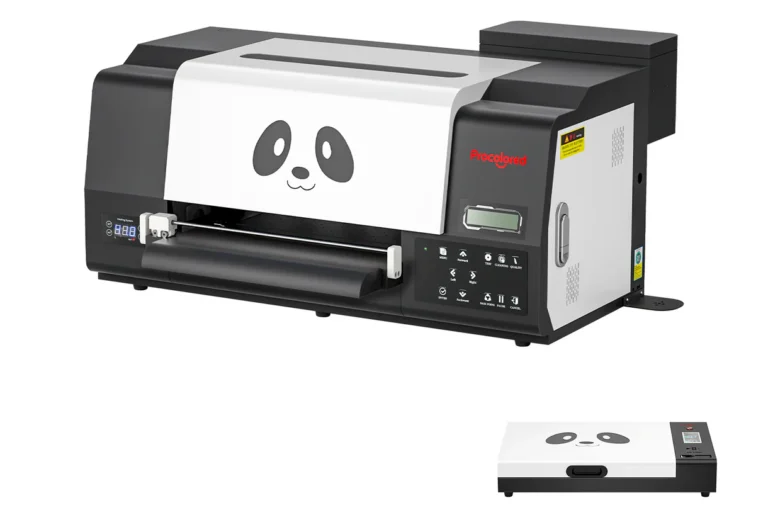
Procolored F13/l1800 Panda DTF printer (my beginner machine)
The Procolored F13/ L1800 is one of the most widely used entry-level DTF printers in the industry.
Many beginner DTF businesses start with this type of machine because it offers a relatively affordable entry point while still producing professional transfers.
This printer is based on the Epson L1800 printhead platform, which has been adapted for DTF printing with white ink support.
When I started my journey in custom apparel printing, I used the Procolored L1800 upgraded roller version along with a curing oven, and of course a heat press to transfer the prints.
This setup allowed me to learn the full DTF process from start to finish.
Key Specifications:
Print size: Up to 13 inches wide (A3 size)
Ink configuration: CMYK + White ink
Resolution: Up to 1440 DPI
Film type: PET transfer film
Software: RIP software included with the printer
Typical print time: Approximately 8-10 minutes per A3 sheet
The roll-fed film system allows users to print multiple transfers continuously rather than loading individual sheets.
This print size is perfect for most standard apparel designs including:
- front shirt designs
- back graphics
- hoodie logos
From small to medium batch orders.
What I like About the Procolored L1800
Well, let’s start with Good Entry-Level Price – Compared to larger commercial DTF printers, the L1800 allows beginners to enter the industry without spending thousands more on industrial equipment.
For someone testing the waters of the apparel business, this is a reasonable starting point.
Compact Size -the printer is relatively compact and can fit in a small studio, home workspace, or garage setup. Many small businesses operate successfully using similar setups.
Real Learning Experience -using this printer taught me the full DTF workflow:
- printing onto film
- applying adhesive powder
- curing the transfer in an oven
- pressing onto garments
That experience is extremely valuable, because once you understand the workflow, upgrading equipment later becomes much easier.
Things Beginners should know
The Procolored L1800 is not a “set it and forget it” machine.
Like all DTF printers, it requires:
- regular printhead cleaning
- proper white ink circulation
- consistent use or simply print a sample to maintain the flow
White ink is thicker than standard ink, so maintenance becomes an important part of owning any DTF printer.
However, this is not unique to this machine. It applies to almost every DTF system on the market.
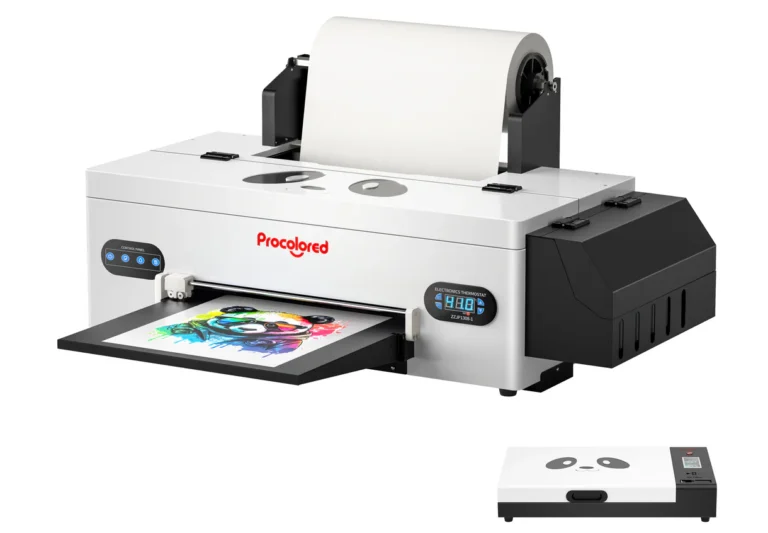
Procolored F13 Pro A3 Dual-Head DTF printer
If the Procolored F13/L1800 Panda represents the beginner entry point into DTF printing, the F13 Pro represents the next step up.
This machine is essentially an upgraded and more powerful version of the F13, designed for users who want faster production, more automation, and improved reliability.
While the original F13 uses one print head, the F13 Pro introduces a dual-printhead system, which dramatically increases printing speed and efficiency.
For small apparel businesses starting to receive consistent orders, this type of upgrade can make a noticeable difference in workflow and productivity.
Key Specifications
Print width: 13 inches (A3 size)
Printhead configuration: Dual XP600 printheads
Resolution: Up to 720 × 1440 DPI
Printing speed: Around 4.5 minutes per A3 sheet
Production output: Approximately 13 A4 prints per hour depending on design size
Ink configuration: CMYK + White ink system
Film type: Roll-fed PET transfer film
Software: Pro RIP software included
Like most A3 DTF printers, this machine is designed for small to medium apparel production rather than large industrial runs.
However, it can still produce a significant number of transfers per day when used consistently.
Major Improvements over the standard F13:
Dual Printheads (Faster Production) – The most important upgrade is the dual printhead array, where two printheads work simultaneously to print designs faster.
Compared to the single-head F13 printer, the Pro version can nearly double printing speed, making it more suitable for businesses producing batches of transfers.
For example:
faster production runs
shorter waiting times between prints
better workflow during busy days
For entrepreneurs planning to sell custom apparel regularly, this speed improvement can become very valuable.
Improved White Ink Circulation – White ink is the most challenging part of DTF printing because it is thicker than standard ink and can settle if not properly circulated.
The F13 Pro includes an upgraded siphon circulation system that helps keep the white ink moving through the system more consistently.
This helps reduce:
printhead clogging
ink supply issues
maintenance interruptions
While maintenance is still required (as with any DTF printer), these improvements help make the workflow more stable.
Automatic Printhead Cleaning -Another useful feature for beginners is the automatic printhead cleaning system.
When the printer is left powered on, it performs automatic cleanings roughly every 10 hours, using a very small amount of ink to keep the nozzles from clogging.
This is especially helpful for users who may not be printing every single day.
Keeping the printer powered on allows the system to maintain itself and reduce the chances of clogged printheads.
Printehead Protection System – The F13 Pro also includes a photoelectric detection system that helps prevent the printhead from hitting uneven film during printing.
This feature helps protect one of the most expensive components of the printer. For beginners, protecting the printhead is extremely important because replacing one can be costly.
Who the F13 Pro is Best for – The F13 Pro is a good option for people who:
• already understand the basics of DTF printing
• expect to produce transfers regularly
• want faster printing speeds
• want a more production-ready setup
It can work well for:
small custom apparel businesses
Etsy or own platform sellers producing transfers
print-on-demand startups
growing local clothing brands
My Personal advice for beginners
If you are entering the DTF industry for the first time, focus on learning the process rather than chasing the most expensive machine.
Start with reliable beginner equipment. Practice consistently. Learn how to troubleshoot problems.
Once your skills improve and your business grows, you can always upgrade to larger production machines.
Every experienced DTF printer operator started exactly where you are now — at the beginner stage.
That being said, you can start with the standard F13 L1800 platform, simple and enough to start learning the workflow.
But if your goal is to build a serious small-medium apparel business, the F13 Pro offers higher productivity and efficiency, which can save time once orders start increasing.
Many beginners believe they need a $10,000 commercial machine.
You don’t.
Start with a reliable beginner printer, learn the workflow, and build experience.
Once you start getting consistent orders, you can always upgrade your equipment later.
Final Thoughts
DTF printing continues to grow in popularity because it allows creators and entrepreneurs to produce custom apparel without massive startup costs.
Printers like the Procolored F13/L1800 and Procolored F13 Pro have helped many beginners enter the industry and start learning the craft of garment printing.
If your goal is to build a small-medium custom apparel business, either of these machines can give you a strong starting point.
The most important step is simply getting started and learning the process.
Next step:
In the next guide, we’ll cover:
Everything you need to start DTF printing (complete equipment list).
Because the printer is only the beginning.